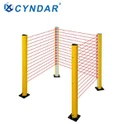
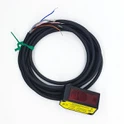
The use of navigation -based safety laser scanners and the use of ROS systems can be described as follows:
Cloud point programming:
1. Install the necessary software and drivers for the laser scanner.
2. Use the provided cable to connect the laser scanner to the computer.
3. Start the cloud point programming software and configure the setting of the laser scanner.
4. Create a new project in the software and import laser scanner data.
5. Processing the data of the laser scanner to create a 2D point cloud.
6. Analysis and manipulation of cloud data using the software.

ROS system use:
1. Install the necessary ROS bag for the laser scanner.
2. Use the provided cable to connect the laser scanner to the computer.
3. Start the ROS system and configure the setting of the laser scanner.
4. Create an ROS node to read and process laser scanner data.
5. Use ROS tools to analyze and manipulate point cloud data.
6. Published the processing data as ROS messages, and will be consumed by other ROS nodes or external applications.
By using the above methods, you can effectively program in Cloud Point programming and ROS system environment and use navigation -based safety laser scanners.
cyndar
Navigation type safety: XD-TOF-10H, XD-TOF-20H, XD-TOF-30H, XD-TOF-50H